






GEMINI.md is durable context.
Use it for repository-wide or directory-specific rules that should survive across tasks. Keep today’s URL, captured failure, and acceptance test in the current prompt.
Use durable context, controlled tools, reviewed changes, and a production rescan to move from evidence to a safer release.




Convert verified public evidence into one bounded repository task.
Open the SEO Workspace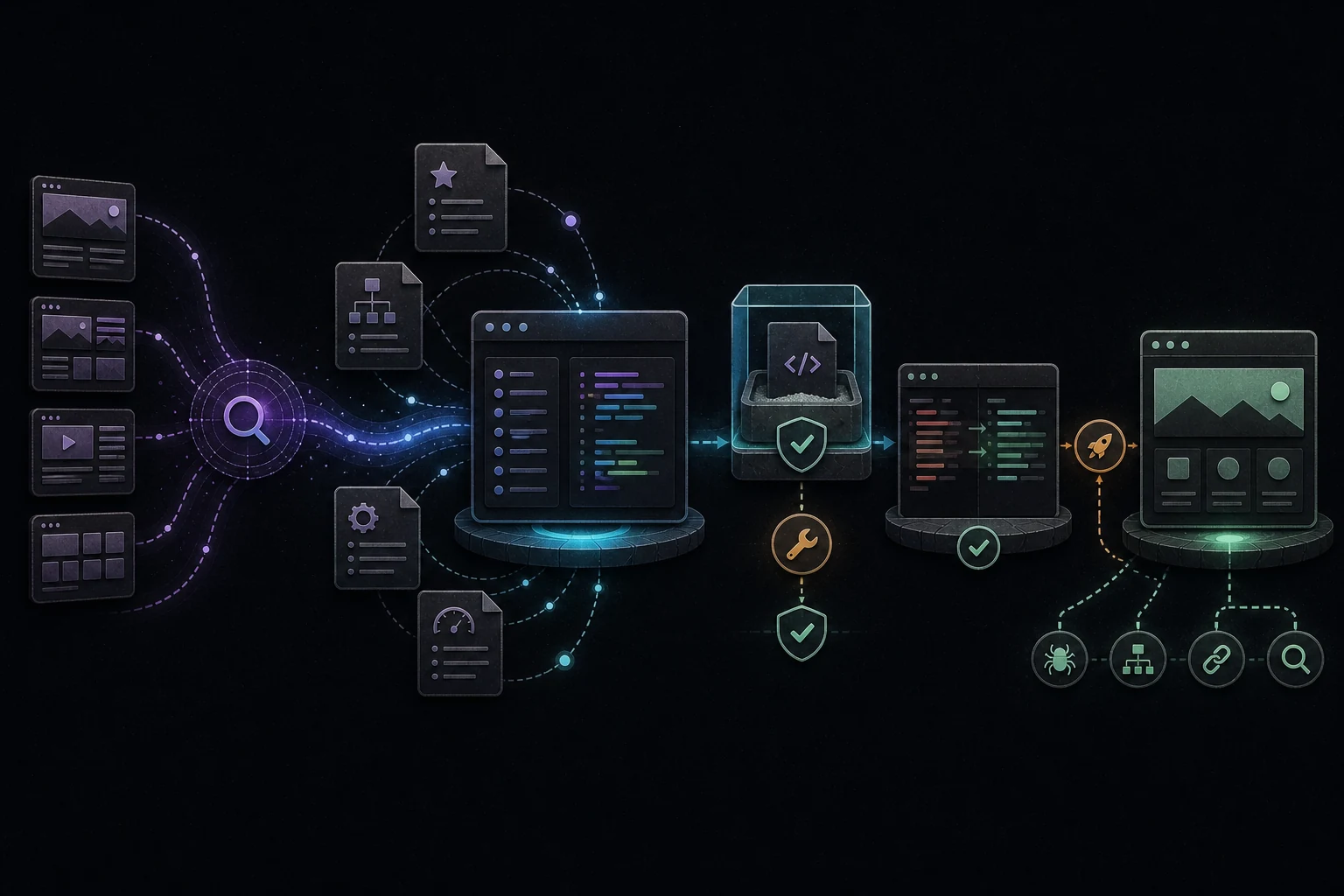
A safe Gemini CLI SEO workflow starts with the canonical production URL: capture access, response, robots, canonical, sitemap, rendering, content, and internal-link evidence; select one high-dependency failure; place durable repository constraints in the appropriate GEMINI.md file; ask Gemini CLI to trace connected files before editing; review every mutating tool call and diff; use sandboxing when it fits the environment; run the real checks; deploy through the normal release process; and rescan the public URL. Gemini CLI can inspect, edit, and test code, but it cannot guarantee crawling, indexing, rankings, AI mentions, citations, or traffic.
This commercial landing page positions TruboRankAI as the public evidence layer around Gemini CLI repository work. It explains hierarchical GEMINI.md context, direct task scope, tool confirmations, trusted folders, sandboxing, diff review, deployment, and production verification without treating local code success as a search result.
Use it for repository-wide or directory-specific rules that should survive across tasks. Keep today’s URL, captured failure, and acceptance test in the current prompt.
Local tests and reviewed diffs show implementation quality. Only the deployed anonymous URL can show what users and crawlers actually receive.
Audit, AI visibility, research, content optimization, and reporting-organized around the website you are improving.
 TruboRankAI
Third-party names and logos are trademarks of their owners and are shown for comparison. Other-tool prices are illustrative monthly benchmarks; exact plans and costs may vary.
Diagnose the public page first, preserve project boundaries, approve tools deliberately, and verify the release with the same live evidence.
Begin outside the repository. Scan the exact canonical page and record the final HTTPS status, redirect chain, robots directives, canonical target, sitemap coverage, initial HTML, rendered content, main heading, direct answer, internal links, and structured data. A vague request to improve SEO forces the agent to invent both the diagnosis and the acceptance criteria.
Prioritize in dependency order. Anonymous access, successful responses, stable redirects, index controls, canonical consistency, crawlable rendering, sitemap discovery, and internal links come before schema enrichment or more copy. Choose one observable issue whose correction can be tested independently.
Put durable instructions at the correct scope. Gemini CLI documents a hierarchy of GEMINI.md context files, including global, workspace, and just-in-time directory context. Store architecture rules, protected routes, style constraints, sitemap conventions, truthful-content requirements, real test commands, and release boundaries there. Do not preserve a temporary keyword, one URL’s metrics, or an unconfirmed theory as a permanent rule.
Write the current task separately. Include the public URL, captured behavior, expected behavior, affected route family, protected areas, likely entry point if known, and exact checks. Ask the CLI to inspect the route, renderer, content source, metadata logic, sitemap source, robots policy, styles, scripts, and host configuration before proposing edits.
Review tool use in proportion to risk. Official Gemini CLI guidance says mutating tools such as file edits and shell commands require confirmation under the normal flow, and trusted folders control where system tools are available. Read the command and its target, protect secrets and user data, and keep deployment, database, destructive, and external state changes under explicit human control.
Use a sandbox as a boundary, not as a substitute for judgment. Gemini CLI supports sandboxed execution through platform-specific or container-based options. A sandbox can restrict filesystem or process effects, but it does not prove that the requested change is correct, that the command is harmless inside the workspace, or that the production environment matches the local one.
Implement the smallest connected change and inspect the complete diff. Confirm that metadata, visible content, canonicals, schema, internal links, and sitemap entries agree. Protect authentication, dashboards, billing, checkout, APIs, webhooks, analytics, secrets, stored reports, and unrelated user edits.
Run the project’s real validation path. Lint the edited files, execute relevant unit or integration checks, render the affected route, inspect desktop and mobile behavior, confirm one H1, verify the image and links, and check browser console and network output. Generated code is a proposal until these checks pass.
Deploy through the existing release process, then repeat the original public inspection. Compare status, redirects, initial HTML, rendered content, metadata, canonical, links, sitemap, console, and network behavior on the anonymous production URL. A local preview or terminal transcript cannot expose stale CDN content, host rewrites, environment differences, or a failed release.
Measure delayed outcomes separately. Sitemap submission and internal links can help discovery, but Google states that indexing is not guaranteed. Search Console impressions, indexed status, verified AI crawler visits, referrals, mentions, citations, and conversions are different signals with different timing. Report only what the evidence establishes.
It can inspect and edit repository files and run relevant tools when authorized. A human still needs to validate the diagnosis, review the changes, release them, and verify the production URL.
Put durable repository or directory constraints in GEMINI.md. Keep the current URL, scan evidence, requested change, and acceptance criteria in the task prompt.
Sandboxing reduces some execution risk. It does not establish business correctness, protect every in-workspace file, or prove that the deployed page is crawlable and useful.
It can remove technical and content barriers and keep the canonical URL in the sitemap, but Google does not guarantee crawling, indexing, ranking, or a specific timeline.